
EmDash's 4 Templates Compared: Blog, Marketing, Portfolio and Starter
We installed all four EmDash templates and set each one up with its sample content. Here's what each looks like, what it's built for, and which to pick.
 By the AstroBeginner team, reviewed by Seahawk MediaPublished 6 minute readComplete beginner
Tested on Astro 7.4
In this guide
When you create an EmDash site, you pick one of four templates. Each one is a complete, designed site with its own kinds of content. We installed all four on November 8, 2026, chose Sample content in each setup wizard, and took a picture of each homepage.
The quick answer
| Template | Pick it for | What you can write |
|---|---|---|
| Blog | Writing, newsletters, personal sites | Posts, pages, categories, tags |
| Marketing | A company or product site | Pages built from blocks |
| Portfolio | Showing off creative work | Projects with galleries, pages, tags |
| Starter | Designing everything yourself | Posts, pages, categories, tags, with no styling |
To pick one when you create your site:
npm create emdash@latest my-site -- --template blogSwap blog for marketing, portfolio or starter.
Blog
See it live: em-demo.astrobeginner.com runs this template with its sample posts.
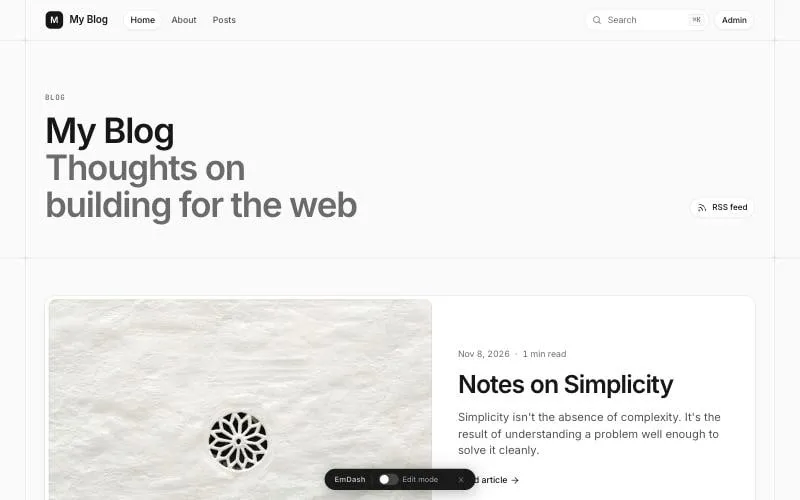
The one most people should start with. A clean writing site in a soft grey frame. Posts get a proper reading layout: the date and reading time on the left, the text in the middle, and a table of contents and sidebar on the right. It comes with search, an RSS feed, categories, tags and comments.
Sample content: eight posts, one of them a draft, an About page, and seven images.
Marketing
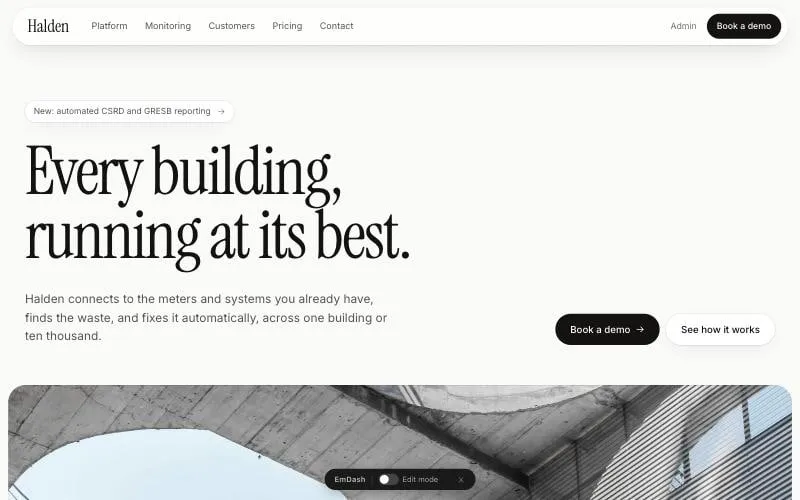
A company website, with a big headline at the top. Every page is built from blocks you stack in the editor: a hero, a wall of logos, features, stats, testimonials, pricing, questions and answers, and a call to action. There are no blog posts in this one, just pages.
Sample content: a whole site for Halden, a made-up energy company. You replace the words and photos with yours. The header button, Book a demo, is a menu link you can rename in Menus.
Portfolio
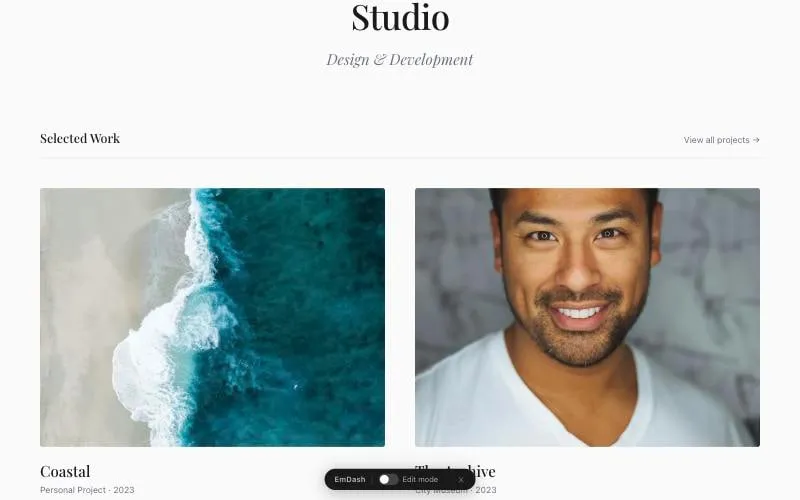
A quiet, almost black-and-white site that lets your pictures do the talking. Each project has a client, a year, a short summary, a write-up and a gallery of images with captions. Made for designers, photographers, illustrators and studios.
Sample content: a handful of projects with photos. One thing to change before you go live: the contact page opens the visitor’s email app, using an example address. Put your own address in src/pages/contact.astro.
Starter
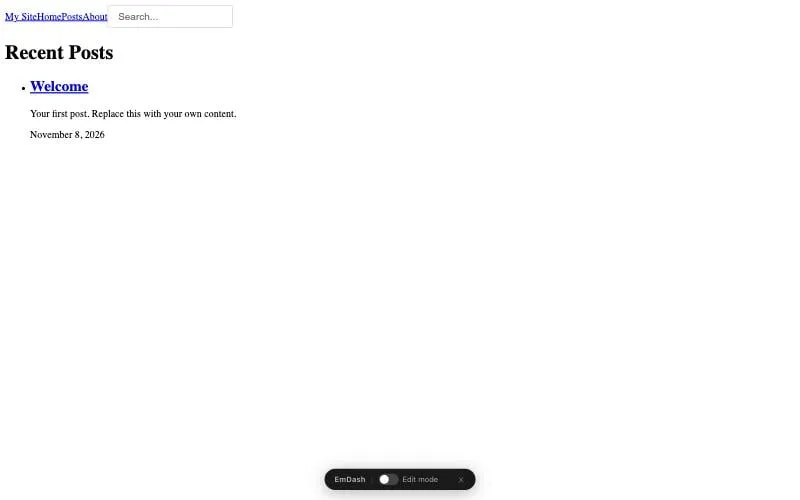
Yes, it really looks like that. The starter has no design on purpose: no fonts, no colours, no layout. It has the same posts, pages, categories and tags as the blog, so it works. It’s for people who want to design every pixel themselves, or have an AI build the design.
Sample content: one post called Welcome.
How to pick
- You want to write. Blog.
- You’re selling something. Marketing.
- Your work is visual. Portfolio.
- You have a design ready, or a developer. Starter.
Not sure? Start with Blog. It’s the most complete, and the one most EmDash guides, including ours, use.
Where to go next
- How to install EmDash with the template you picked.
- Write your first post.
- A tour of the dashboard.
Frequently asked questions
Can I change templates later?
Not with a switch, like a WordPress theme. Each template is its own project. You'd start a new project with the other template and move your content across with EmDash's export and import.
Which template is best for a business?
Marketing, if you need a homepage with sections, pricing and a contact page. Blog, if the business mostly publishes articles.
Do all templates work on Cloudflare and Node.js?
Yes. When you create a project you pick the platform and the template separately, so all four work on either.
Stuck on a step?
Check the common errors guide, look up a word in the glossary, or ask the friendly people in the official Astro and EmDash Discords. How to ask so people can help.